
Attending the 2026 Global Forum on ASGM in Panama?
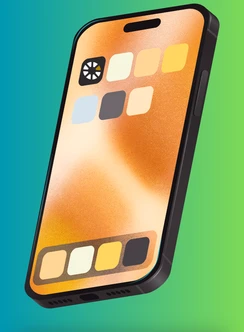
Install the planetGOLD Global Forum app on your phone
The Forum app works in your mobile browser. You can add it to your home screen so it opens like a normal app, with a full screen and no address bar.
Address: www.planetgold.org/globalforumapp
Once installed, the icon on your home screen will be labeled planetGOLD Forum.
iPhone / iPad using Safari (recommended for Apple devices):
- Open Safari and go to www.planetgold.org/globalforumapp
- Tap the Share button at the bottom of the screen (a square with an arrow pointing up).
- Scroll down the list and tap Add to Home Screen.
- Confirm or edit the name, then tap Add in the top right.
- The app icon now appears on your home screen.
iPhone / iPad using Chrome:
- Open Chrome and go to www.planetgold.org/globalforumapp
- Tap the Share button (the square with an upward arrow) in the address bar, or the three dots at the bottom right.
- Tap Add to Home Screen.
- Tap Add to confirm.
This requires iOS 16.4 or later. If you do not see the option, use Safari instead.
Android using Chrome:
- Open Chrome and go to www.planetgold.org/globalforumapp
- Tap the three dots in the top right corner.
- Tap Add to Home screen (on some devices this appears as Install app).
- Tap Install or Add to confirm.
- The app icon now appears on your home screen or in your app drawer.
You may also see a banner at the bottom of the screen offering to install the app. Tapping it does the same thing.
Android using Samsung Internet:
- Open Samsung Internet and go to www.planetgold.org/globalforumapp
- Tap the three lines (menu) at the bottom right.
- Tap Add page to, then Home screen.
- Tap Add.
Good to know:
- The app can send announcements about the planetGOLD Global Forum. It will ask you to allow notifications, which you may do if you choose.
- Installing takes no storage space beyond the browser cache and does not require an app store account.
- The app needs an internet connection to load new content, such as agenda changes and announcements. To refresh, pull down. The app also functions without internet.
- To remove it later, press and hold the icon and choose Remove or Uninstall, the same as any other app.
- If the Add to Home Screen option does not appear, make sure the page has finished loading and that you are not in a private or incognito window.